Getting Started

1

Download & Install

Download the app from the App Store or Google Play Store and install it on your device.
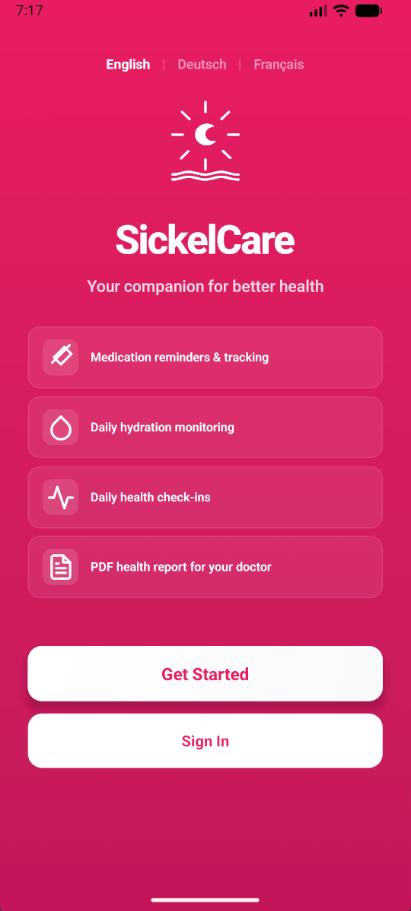
Welcome screen

App Store / Google Play download page

2

Create Your Account

Sign up with your email and create a secure password. Select your language preference and sickle cell type.
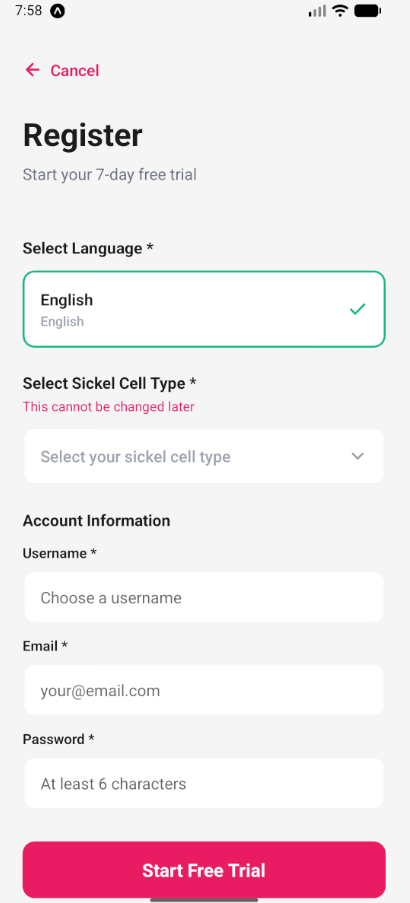
Registration screen

Registration screen

3

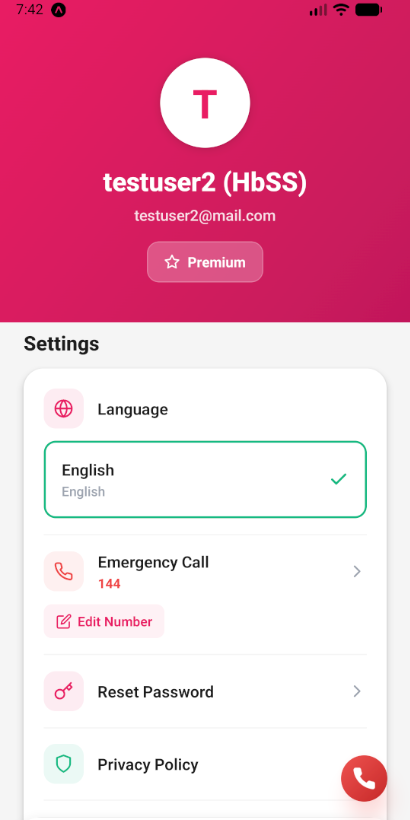
Set Up Your Profile

Customize your profile settings and preferences to personalize your experience.
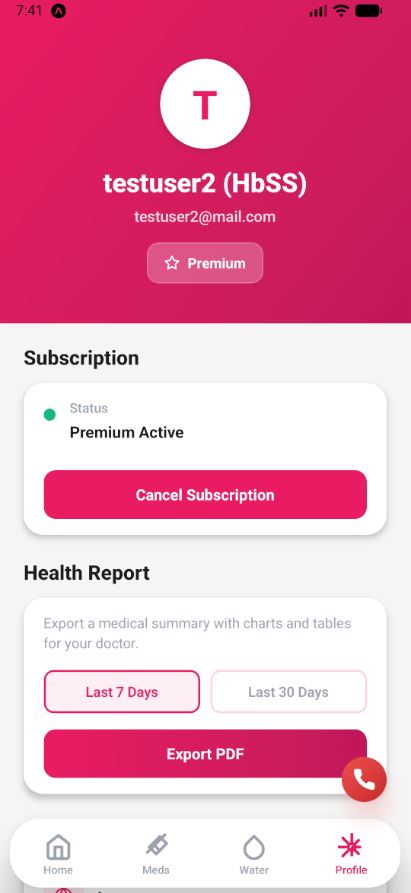
Profile screen

Profile setup

4

Set Emergency Contact

In your profile, add an emergency phone number. In case of a severe pain crisis, the app gives you a quick one-tap button to call your emergency contact.
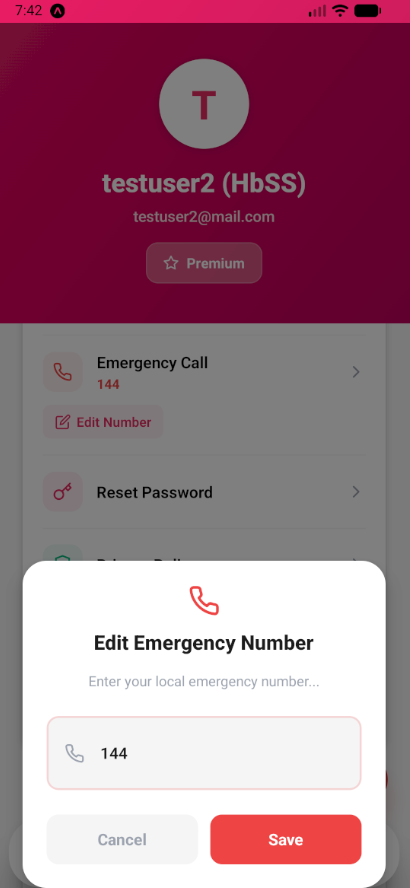
Emergency contact

Setting up emergency contact
App Onboarding

1

Learn About Sickle Cell

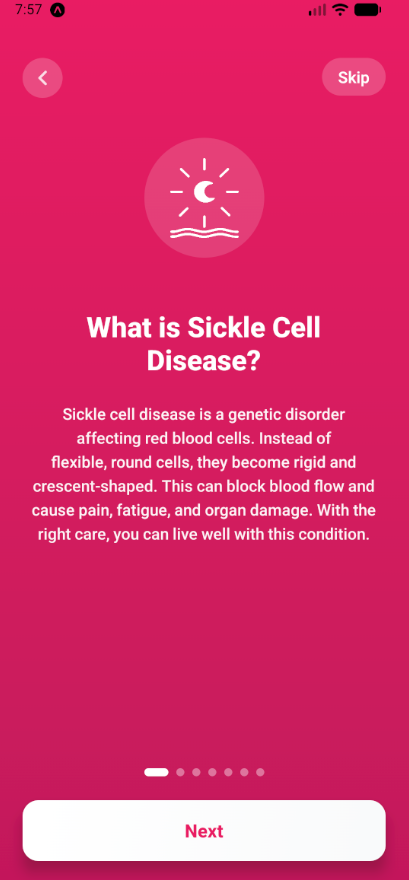
After registering, the app walks you through a short onboarding explaining sickle cell disease and what the app tracks.

Onboarding intro

Introduction to sickle cell disease

2

Medical Disclaimer

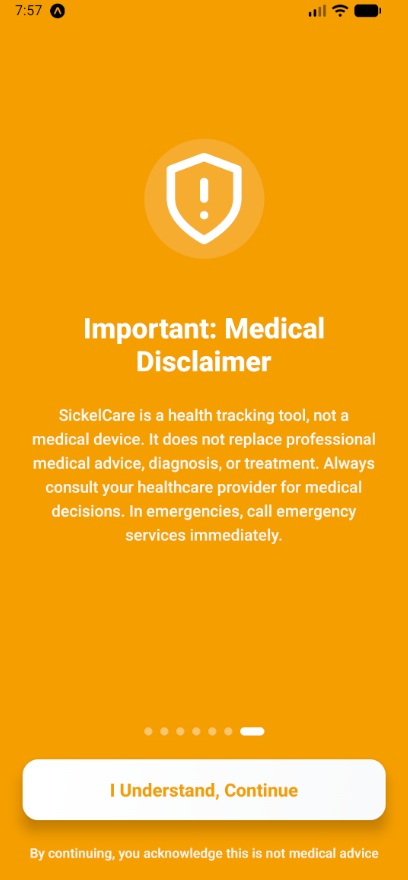
Before using the app, you confirm that SickleCare is a tracking tool — not a medical device. You should always consult your doctor for medical decisions.

Medical disclaimer

Medical disclaimer

Managing Medications

1

Add a Medication

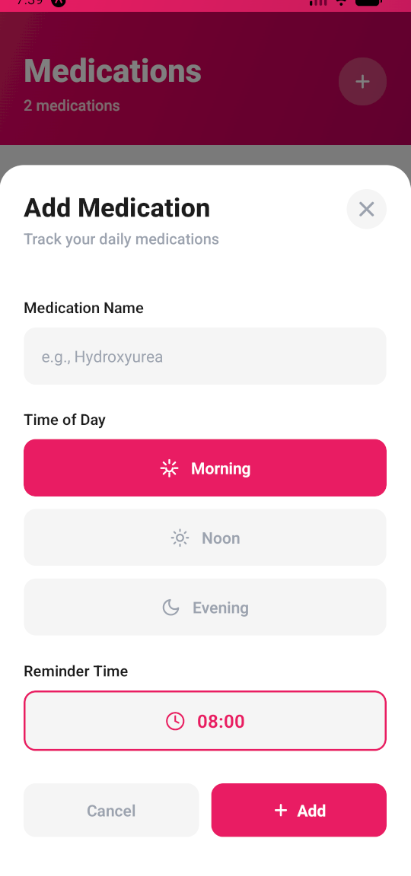
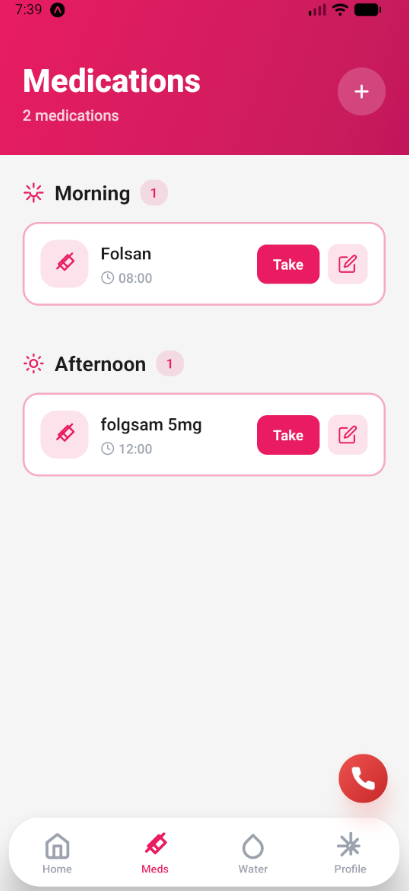
Tap the "+" button on the Medications screen. Enter the medication name, select the time of day (Morning, Afternoon, Evening), and set a reminder time.

Add medication

Adding a new medication

2

Mark as Taken

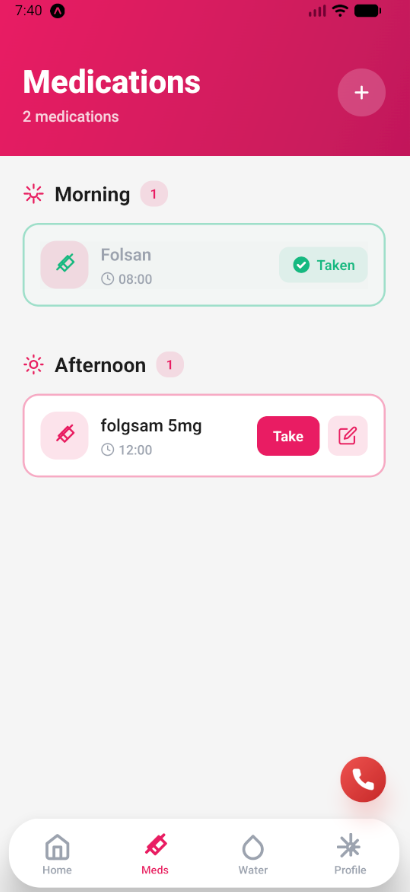
When it's time to take your medication, simply tap the "Take" button. The medication will be marked as taken for the day.

Take medication

Marking medication as taken

3

Edit or Delete

Tap the edit icon on any medication to modify its details or remove it from your list.

Edit medication

Editing medication details

Tracking Water Intake

1

Set Your Daily Goal

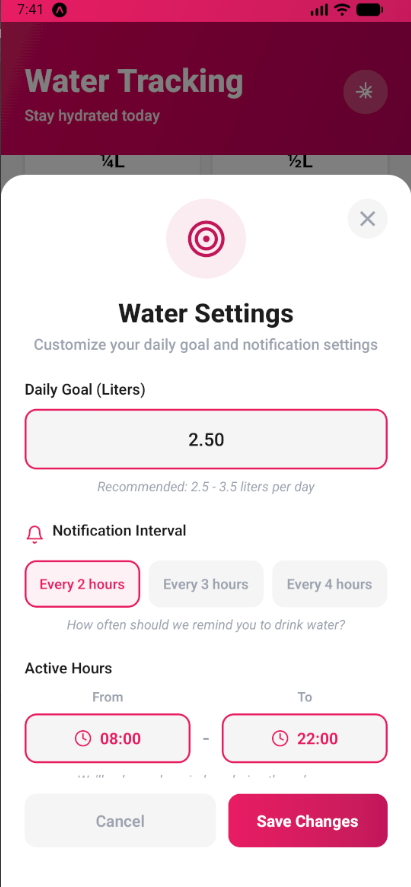
Go to Water Tracking and set your daily water intake goal. The recommended amount is 2.5-3.5 liters per day.

Water goal

Setting daily water goal

2

Log Water Intake

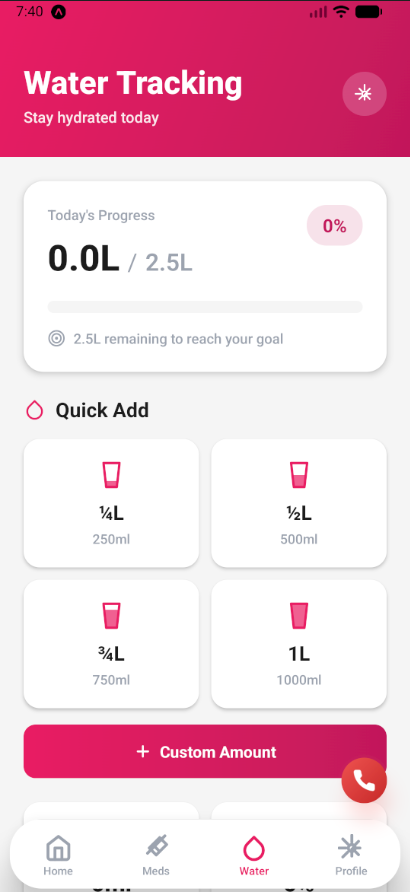
Tap the quick add buttons (250ml, 500ml, 750ml) or enter a custom amount to log your water intake throughout the day.

Add water

Logging water intake

Daily Check-ins

1

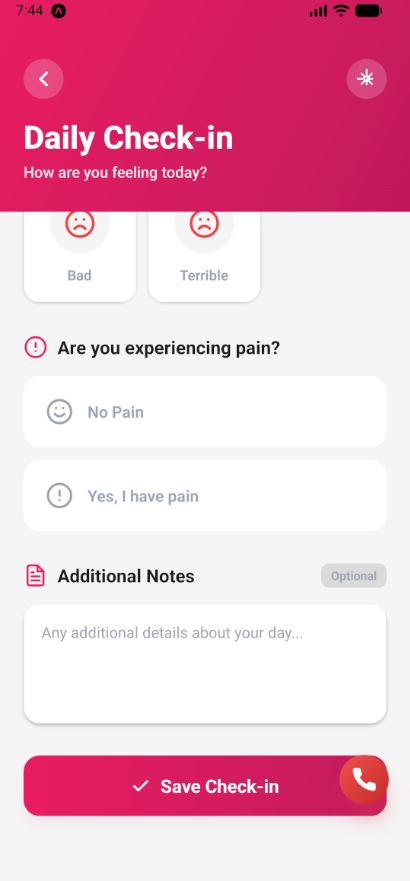
Record Your Feeling

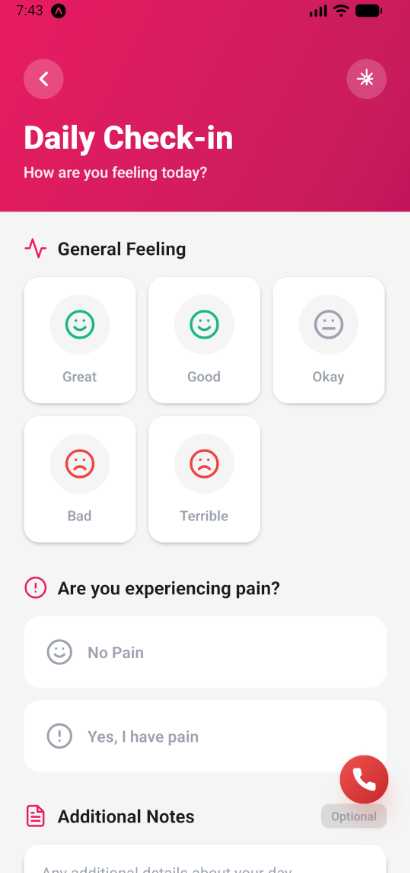
Each day, tap on Daily Check-in and select how you're feeling: Great, Good, Okay, Bad, or Terrible.

Check-in feeling

Recording daily feeling

2

Log Pain Levels

If you're experiencing pain, select your pain level from 1-10. For severe pain (7+), the app will show important warnings.

Pain level

Recording pain level

3

Add Notes (Optional)

Add any additional notes about triggers, symptoms, or anything else you want to remember about your day.

Check-in notes

Adding optional notes

Calendar & Health History

1

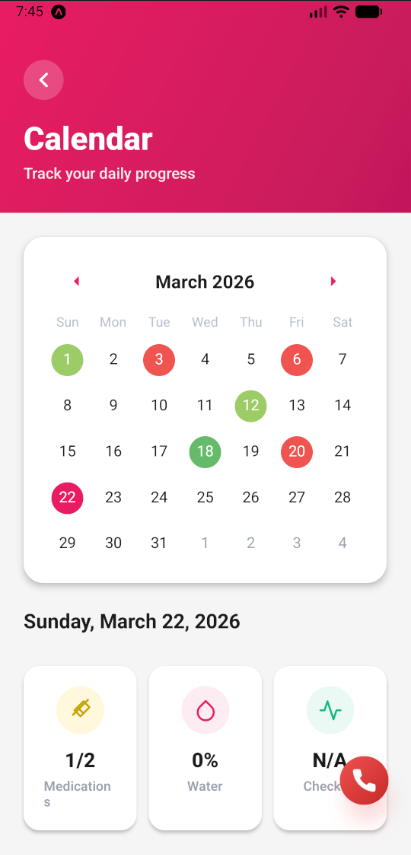
View Your Health History

The Calendar tab shows a colour-coded overview of your daily health. Each day is coloured based on your check-in mood and medication compliance.

Calendar view

Monthly calendar overview

2

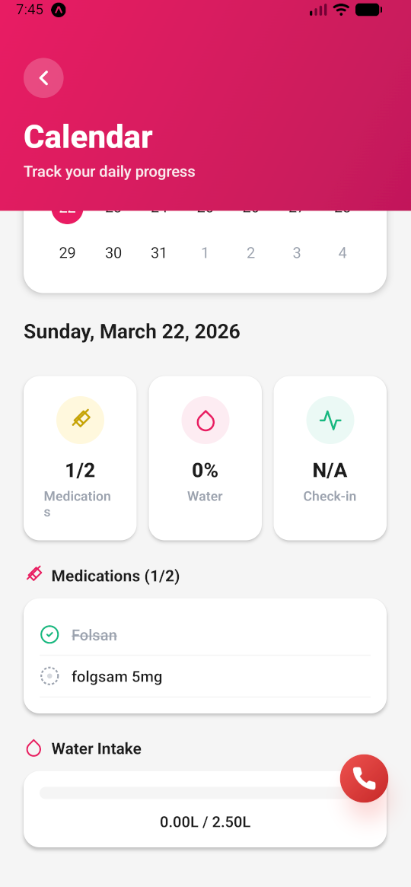
Tap a Day for Details

Tap any day to see a detailed summary: medications taken, water intake, pain level, and notes for that day.

Calendar day details

Daily health details

Setting Up Notifications

1

Enable Notifications

Go to your device Settings > Notifications and enable notifications for SickleCare.

Enable notifications

Enabling notifications

2

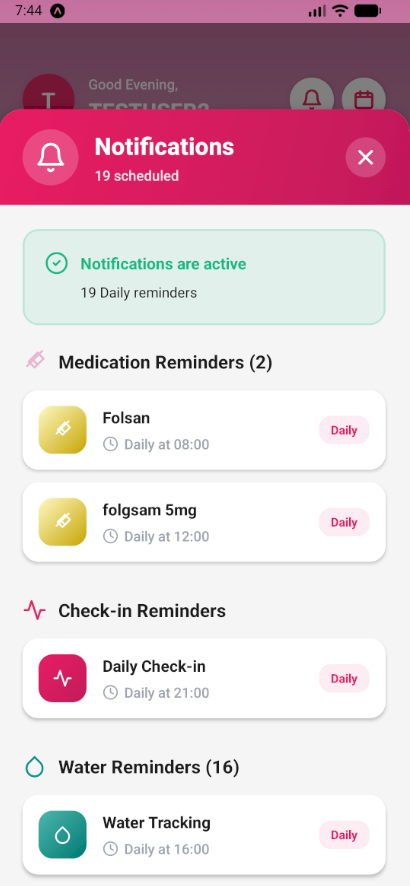
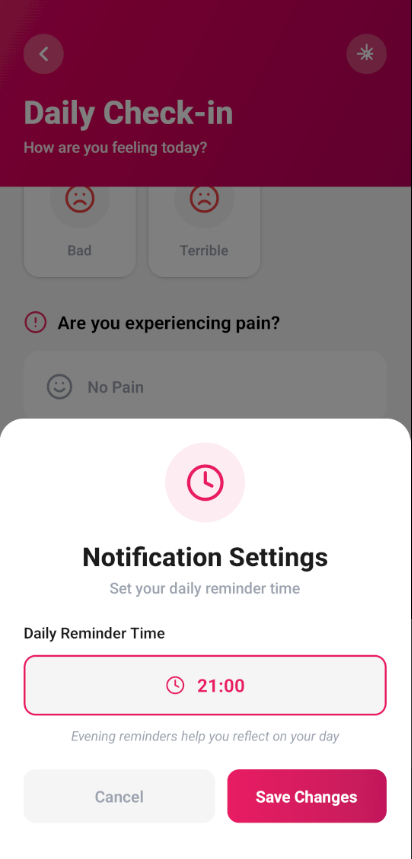
Manage Reminders

In the app, go to the Notifications screen to view and manage all your medication and check-in reminders.

Manage notifications

Managing notification settings

Exporting Your Health Report

1

Go to Your Profile

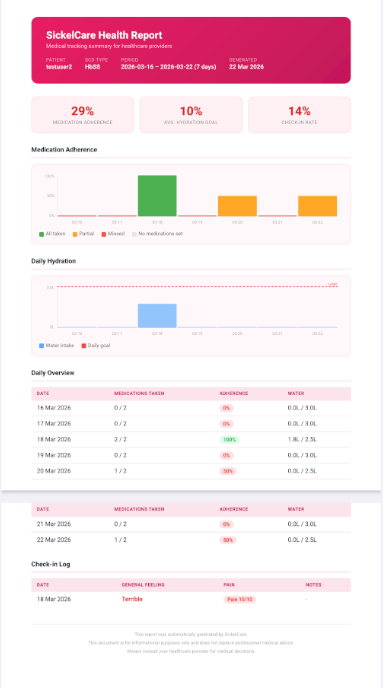
Open the Profile tab and scroll down to find the "Export PDF Report" button. This feature is available for Premium subscribers.

Profile export

PDF export button in profile

2

Share with Your Doctor

The report includes your medication history, water intake, and daily check-ins. You can share it directly via email, WhatsApp, or save it to your device.

PDF export

Sharing the health report

Pro Tips

💡

Be Consistent

Use the app daily to build a comprehensive health history and identify patterns.

📱

Enable Reminders

Set up notifications to never miss your medications or daily check-ins.

📊

Review Your Calendar

Regularly check the Calendar view to track your progress and share insights with your doctor.

💧

Stay Hydrated

Hydration is crucial! Use the water tracker to ensure you're drinking enough throughout the day.

Need More Help?

If you have any questions or need assistance, don't hesitate to reach out to us.

Contact Us